
Fast-Track pyRevit System™

Lesson 11
Stress-Test against bugs
Written Summary
Stress-Test Your Tool Against Bugs 🐞
Welcome back! In this lesson we're going to stress-test NameSwapper — basically, we'll try to break it in every way possible so we can find all the issues and prevent them in the future.
And here's the thing: at first you'll think this is the hardest part. You might even hate it — let's be honest, everybody hates it. But this is one of the most important steps to make robust tools. The good news? It's super repetitive, because your tools always break the same way.
I'll cover the full pyRevit debugging protocol much later in pyRevit School. For now, let's run a quick stress test — and at the end, I'll share an amazing prompt where AI does 90% of the work for you in a structured report.
Break the UI forms first
Your tools always fail in the same predictable spots. If you have a UI form: what if the user closes it early? What if they select nothing? If you're getting elements: what if you got none, or the wrong ones?
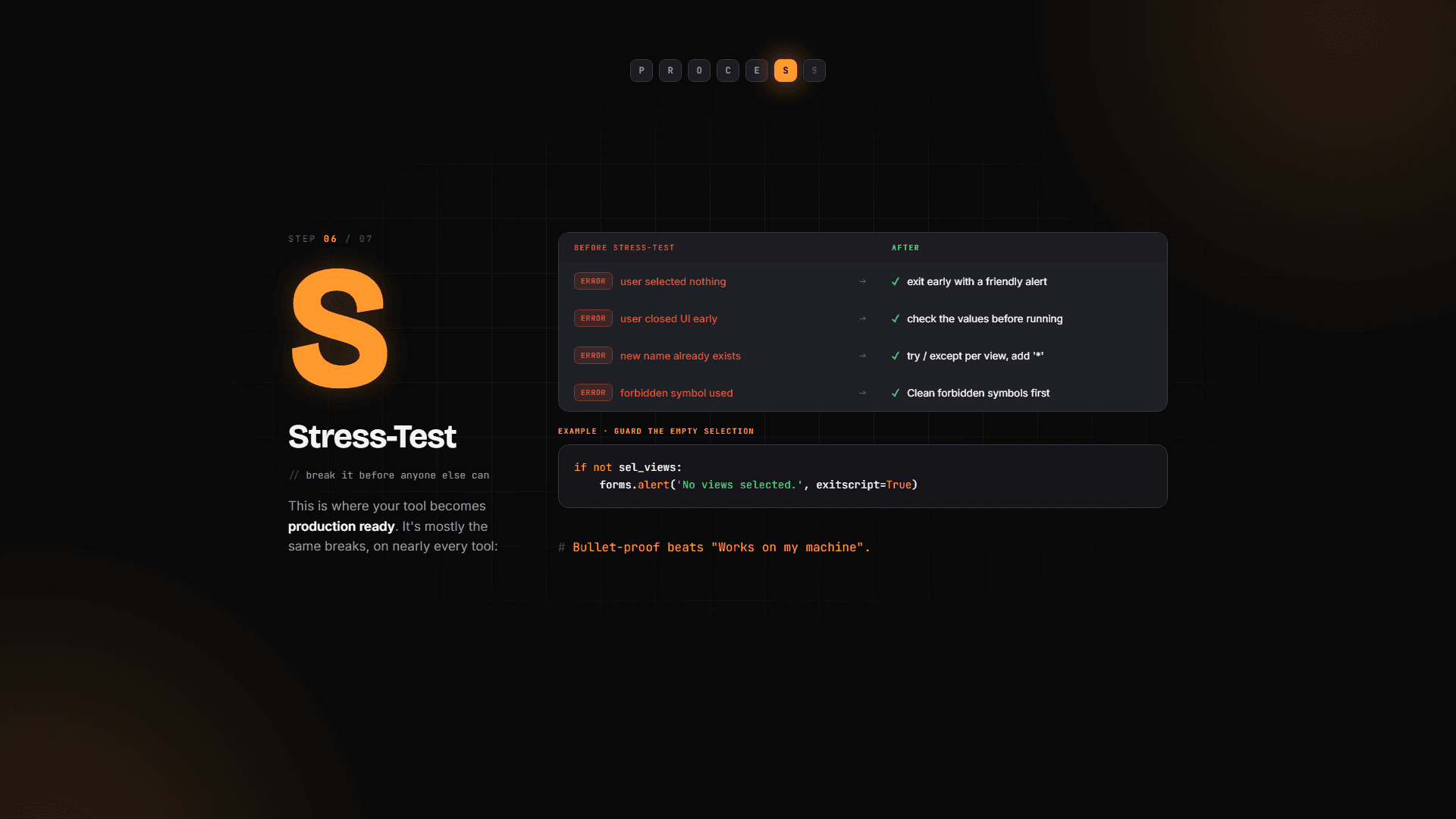
So let's try it manually:
Run the tool and cancel the first form. Boom — error, because the script tried to use something that doesn't exist.
Run it again, select no views but fill in the second form anyway. Another error.
The fix is the same every time: right after you get user input, check if you actually got anything. If not, show an alert and quit.
Where did I get exitscript=True? Straight from the pyRevit docs — the Effective Inputs page shows how to create an alert, and it includes this argument. It stops the script cleanly instead of letting it crash three lines later. Super simple.
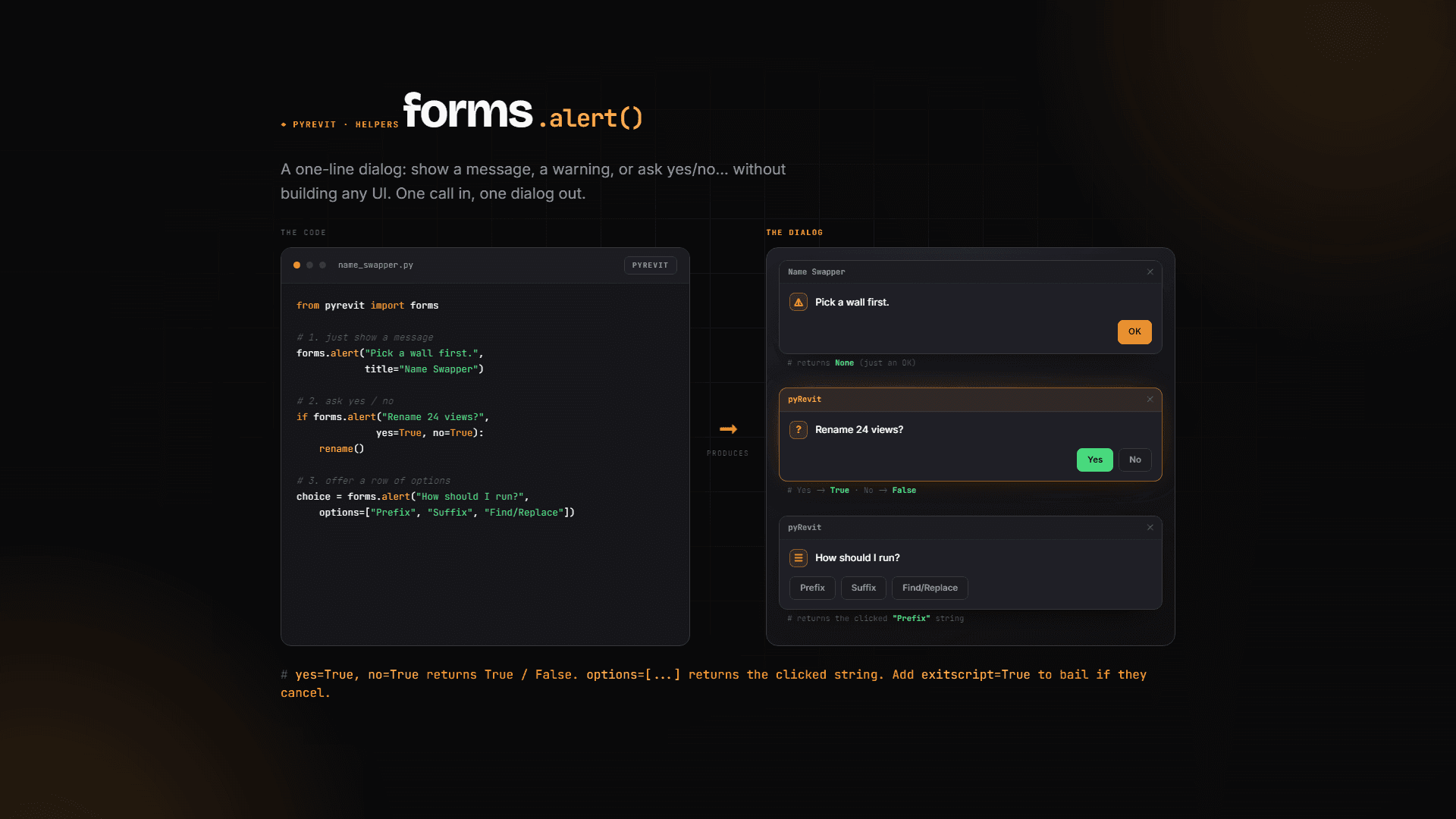
Now do the same for the second form with the naming rules:
💡 Tip: I like to mark these alert messages with an emoji. It instantly tells me (and the user) that this is a friendly "try again" message, not a real crash.
Then just walk down the rest of the script line by line: getting the current name — fine. Building the new name — fine. We're changing the view name though... and that's where Revit has opinions.
Clean out forbidden symbols
If you know views in Revit, you know two things about their names: they have to be unique, and they can't contain certain symbols. Try typing a bunch of special characters into a view name manually and you'll see the error dialog yourself.
🖼️ [IMAGE: Revit error dialog complaining about prohibited characters in a view name]
So before we apply the new name, let's strip out anything forbidden. First, define the new name without applying it. Then filter it with a list comprehension — remember, strings in Python are iterable, so we can loop through them character by character:
Quick note on ''.join(): whatever string you put before .join becomes the delimiter between the items. '-'.join(['A', 'B', 'C']) gives you A-B-C. With an empty string, the characters just merge back together into a clean name.
Test it: select some views, throw a prefix full of nasty symbols at it, click OK. It works — the allowed symbols stay, the forbidden ones are silently removed. Try it a couple of times with different symbols to convince yourself.
🖼️ [IMAGE: NameSwapper form with a prefix full of special symbols, and the renamed views showing the forbidden ones stripped out]
Handle duplicate names (with a little AI help)
Forbidden symbols are gone, but we can still hit duplicates — rename a view to a name that already exists and Revit throws the "name already in use" error.
I started writing the check manually (if new_name == current_name...) and honestly it turned into a mess. So instead, let's use the AI agent in the code editor: select the renaming lines, open the chat, and ask:
"Can you add error handling here in case we get a unique view name error?"
Pick the most powerful model available — agents with smarter models do a much better job here.
🖼️ [IMAGE: AI agent chat panel in the editor with the selected script lines and the error-handling request]
⚠️ Important: You MUST understand what the AI gives you. Notice that I often reject its suggestions — sometimes it's gibberish. Here it suggested a
while Trueloop, which risks running forever. I told it no, and rewrote it as a boundedforloop myself.
Here's the final pattern: try to rename, and if Revit rejects the name, add a symbol and try again — at most 10 times:
And that's it — our tool is now kind of bulletproof. We checked everything we could break by hand.
The interactive AI stress-test report 🤖
Now the most fun part. I'm giving you a prompt that analyzes your code and prepares a detailed, interactive HTML report of issues and fixes. Here's how to use it:
Open your script, Ctrl+A to select everything, Ctrl+C to copy.
Copy the stress-test prompt I provide.
Go to Claude — I tried ChatGPT and others, and Claude is simply the best at HTML.
Paste the prompt + your code, and add one magic line at the end: "Make sure the HTML interactive report is made in Mario style."
Mario, Star Wars, Lord of the Rings, Minecraft, Batman, Harry Potter — I've made so many. The theme makes the report fun to actually read, but the structure always stays the same:
Summary of what your tool does
Revit API members table — every class, property and method you use, checked against API version changes. Killer feature. For example, it flagged that
ElementIdchanged in Revit 2024, explained the change, and told me it doesn't affect my script — good to know either way.Failure-prone analysis — highlights the parts of your script most likely to break, with fixes
Performance analysis
Final score — just for fun, and often way lower than it should be, so don't get discouraged by low numbers.
🖼️ [IMAGE: Mario-style interactive HTML stress-test report showing the API members table and failure-prone analysis sections]
And here's why this is worth it: the report caught something I did not expect. In Python, str.replace('', 'x') — an empty find string — inserts the replacement between every single character. So if a user leaves "find" empty but fills in "replace", it completely messes up the view names. I've used this tool for years and never knew. It also caught that my table headers were in the wrong order — I'd moved the columns and forgot to update the header.
🖼️ [IMAGE: Report section highlighting the empty-find replace() bug with the suggested fix]
💡 Tip: The report flags a few more issues in NameSwapper. Go through it on your own and fix them with AI — it's a great exercise, and exactly how you'll work on real tools.
What's next
Our tool is now trusted and ready for battle. But we can make it even better — in the next lesson, we'll SuperCharge it with AI. You definitely don't want to miss that one. See ya! 👋