Revit Users Not Afraid of Programming...

Revit Users Not Afraid of Programming...

Learn How To Build Practical Revit Tools
From Scratch With pyRevit Bootcamp

Learn How To Build Practical Revit Tools
From Scratch With pyRevit Bootcamp

Learn How To Build Practical Revit Tools From Scratch With pyRevit Bootcamp

This Beginner-Friendly Program will take you from absolute basics

to Confidently Begin Creating Your Own Custom Revit Tools.

This Beginner-Friendly Program will take you from absolute basics

to Confidently Begin Creating Your Own Custom Revit Tools.

This Beginner-Friendly Program will take you from absolute basics

to Confidently Begin Creating Your Own Custom Revit Tools.

Watch To Learn About pyRevit Roadmap For Beginners

Watch To Learn About pyRevit Roadmap For Beginners

So far, 600+ Students Loved This Training!

So far, 600+ Students Loved This Training!

So far, 600+ Students Loved This Training!

  • Miguel Pinheiro

    BIM Specialist

    "This course exceeded all my expectations, I can't imagine a better or faster way to learn pyRevit.

    It's very well organized, filled with real-use case examples, and the community was a brilliant idea. I highly recommend it!"

  • Bikbov Ilnur

    BIM Coordinator

    Exceeded my expectations. Most lessons are short and easy to follow (even with limited English).

    I used the course scripts right away, modified them, and they saved me time and even led to a pay raise. The most useful experience so far.

  • Pavel Formanek

    BIM Specialist

    This Course was a turning point in my professional journey as an BIM Specialist.

    pyRevit made everything easier. Thanks to this course I enhance my technical skills to new levels but moreover, increased my within my company by introducing new efficiencies.

  • Aydimir

    Civil Engineer

    Having direct access to some of the brightest minds in our industry, working on cutting-edge scripts, makes this course unmatched - there’s simply nothing else like it out there!

    And personally, I’ve already made 10X what I paid for this course, which just proves how valuable it is!

  • Mohamed Mostafa Bedair

    Architect

    I consider this course a big leap in my career like no other

    The content is great, organized, and informative. It helps you Learn Revit API in an easy way. And if you struggle with something, ask the community.

  • Harley Trappitt

    BIM Coordinator

    Erik is constantly adding new content to go deeper into everything to know about pyRevit and Revit API.

    If you find yourself lost, jump into community to discuss and work through most issues or questions. Plus all the resources you could want, oh my!

  • Thomas Vogt

    VDC Manager

    The course is exceptional. Clear explanations and manageable modules built upon each other.

    Lessons include video tutorials and code samples. Also the Community was invaluable. It exceeded my expectations. I highly recommend it.

  • Maria Florencia Retamal Borgogno

    BIM Coordinator / Architect

    This course opens so many options for Revit users.
    After completing, I started developing basic tools for my company. I'm feeling I'm just scratching the surface.

    Good thing: this course not only provides a quick start and guidance but also equips you with the necessary tools to continue researching and learning.

  • Mateusz

    BIM Specialist

    The combination of video, summaries, and code - provided a comprehensive learning experience.

    Since completing the course, I've been able to automate several tedious tasks in my Revit workflow, significantly improving my productivity.

Endorsed by Industry Experts

Gavin Nicholls

Architectus BIM Lead | 💛Aussie BIM Guru

Jean-Marc Couffin

Senior BIM Specialist | 💛pyRevit Developer

Many Fail Right At The Start…

Many Fail Right At The Start…

Many Fail Right
At The Start…

Maybe you tried pyRevit+Revit API and failed…

I know exactly how it feels because
I'm also self-taught (before AI era)
That's how most people start…

In the beginning nothing makes sense.
You get lost every couple of lines of code.
And days go by without feeling any real progress…

BUT creating custom Revit tools is not that complicated.
Majority of people just don't know where to start
And as a result - many give up too early…

Maybe you tried pyRevit+Revit API and failed…

I know exactly how it feels because
I'm also self-taught (before AI era)
That's how most people start…

In the beginning nothing makes sense.
You get lost every couple of lines of code.
And days go by without feeling any real progress…

BUT creating custom Revit tools is not that complicated.
Majority of people just don't know where to start
And as a result - many give up too early…

The Alternative?

Follow the proven pyRevit Roadmap for Beginners.
Instead of wasting hours, focus on what's important from day one.

Start Each Module with Theory and then End with Practice.
No Confusion. No Wasted Hours. No being stuck.


The Alternative?

Follow the proven pyRevit Roadmap for Beginners.
Instead of wasting hours, focus on what's important from day one.

Start Each Module with Theory and then End with Practice.
No Confusion. No Wasted Hours. No being stuck.


So, What's The Roadmap?

So, What's The Roadmap?

So, What's The Roadmap?

pyRevit Roadmap For Beginners

BASICS

pyRevit Basics

01

Python Basics

02

Revit API Basics

03

pyRevit Project

04

ADVANCED API

Setup Dev Environment

01

Understand Documentation

02

Learn Selection with Revit API

03

Look Inside Element

04

Inputs/Outputs UI Forms

08

Advanced API Filtering

07

Master Getting Elements

06

Revit API Parameters

04

Automate Views & Sheets

09

Create Practical pyRevi Tools

09

MODERN UI

WPF Introduction For pyRevit

01

First WPF pyRevit Form

02

Learn How To Reuse UI Forms

03

Custom Style UI Forms

04

pyRevit Roadmap For Beginners

BASICS

pyRevit Basics

01

Python Basics

02

Revit API Basics

03

pyRevit Project

04

ADVANCED API

Setup Dev Environment

01

Understand Documentation

02

Learn Selection with Revit API

03

Look Inside Element

04

Inputs/Outputs UI Forms

08

Advanced API Filtering

07

Master Getting Elements

06

Revit API Parameters

04

Automate Views & Sheets

09

Create Practical pyRevi Tools

09

MODERN UI

WPF Introduction For pyRevit

01

First WPF pyRevit Form

02

Learn How To Reuse UI Forms

03

Custom Style UI Forms

04

pyRevit Roadmap For Beginners

BASICS

pyRevit Basics

01

Python Basics

02

Revit API Basics

03

pyRevit Project

04

ADVANCED API

Setup Dev Environment

01

Understand Documentation

02

Learn Selection with Revit API

03

Look Inside Element

04

Inputs/Outputs UI Forms

08

Advanced API Filtering

07

Master Getting Elements

06

Revit API Parameters

04

Automate Views & Sheets

09

Create Practical pyRevi Tools

09

MODERN UI

WPF Introduction For pyRevit

01

First WPF pyRevit Form

02

Learn How To Reuse UI Forms

03

Custom Style UI Forms

04

This roadmap has been proven by 600+ Students.

Here is your Plan to begin.

Here is your Plan to begin.

Here is your
Plan to begin.

01
Join Today in
pyRevit Bootcamp
Join Today in
pyRevit Bootcamp

Enroll today to get access to the best courses and private community
to begin your programming journey

02
Learn With
Theory & Practice
Learn With
Theory & Practice

Follow the step-by-step roadmap to learn the process of creating custom pyRevit tools from scratch.

03
Create Tools
And Automate Revit
Create Tools
And Automate Revit

Solve challenges on your real-world projects using Revit API + python.

Automate the boring work!

🔎Inside Each Lesson

🔎Inside Each Lesson

🎦 In-Depth Video Lesson

📝 Written Summary

♻️ Reusable Code Snippets

💼 Homework To Practice

💬 Community Chat

All You Need
TO Learn pyRevit

What will be used?

What will be used?

RevitPythonShell

pyRevit

Revit 23-25

(Revit-27 Update Soon)

Python

Revit Lookup

RevitPythonShell

Python

Revit Lookup

pyRevit

Revit 23-25

(Revit-27 Update Soon)

Why Python

Why Python

?

?

Python is the most popular for a reason.

Python is the most popular for a reason. It's the quickest and easiest to begin with, and it's also very forgiving for beginners.

It's the quickest and easiest to begin with,

and it's also very forgiving for beginners.

Python is the most popular for a reason. It's the quickest and easiest to begin with, and it's also very forgiving for beginners.

In short - Perfect for busy AEC Experts.

In short:

Perfect for busy AEC Experts.

Beginner-Friendly

Quick to start

Plenty of Examples

Jean-Marc Couffin

Senior BIM Specialist | 💛pyRevit Developer

Senior BIM Specialist |
💛pyRevit Developer

LearnRevitAPI Course is a valuable resource for anyone looking to master the Revit API and develop plugins with confidence.


I highly recommended the course for Revit Experts, BIM specialists, Beginners and experienced Python coders in the field.

Who Is It For?

Who Is It For?

Who Is It For?

# ✅ Revit Architects
# ✅ Revit Engineers
# ✅ Revit Modelers

# ✅ Revit BIM Managers

# ✅ Revit Coordinators

# ✅ Revit MEP-Engineers

# ✅ Revit HVAC Modelers
# ✅ Revit Experts

# ✅ Revit Coders


# Any Revit User Not Afraid of Programming!

I Helped Thousands
To Get Start with pyRevit

I Helped Thousands
To Get Start with pyRevit

I Helped Thousands
to Start with Revit API

Photo of course instructor: Erik Frits.

Hi, I'm
Erik Frits

Learning pyRevit can be frustrating.

Sometimes you spend days looking for a simple answer or even worse - give up. I know how it feels because I was in your shoes.

I wasted hundreds of hours searching for simple answers, I picked up many bad coding habits and I almost quite multiple times…

And that's because I didn't have a roadmap or anyone to ask for help… That's why I decided to create pyRevit Bootcamp - to guide beginners step by step and help them focus on what matters.

This way you can begin in fraction of the time and avoid all the painful mistakes I went through…

Content Creator

I share everything I know about Revit API for the last ~5 years and I've already helped thousands to start the right way.

EF-Tools Creator

I made hundreds of custom Revit tools and shared my favorite ones in a popular FREE EF-Tools extension which is used by thousands of Revit Users.

It's 100% Open-Source, so you can steal my code.

Public Speaker

  • BIM Coordinators Summit 2023

  • BIM Coordinators Summit 2024

  • Autodesk University 2024

250+ Video Tutorials

Creating hundreds of tutorials taught me how to take complex concepts and break them down into easy to follow steps for beginners.

3200+ Hours invested

This is not your regular course that you watch and forget. This platform is a library of tutorials that you keep revisiting when you need them the most.

Plus, You get material updates.

Photo of course instructor: Erik Frits.

Hi, I'm
Erik Frits

Learning pyRevit can be frustrating.

Sometimes you spend days looking for a simple answer or even worse - give up. I know how it feels because I was in your shoes.

I wasted hundreds of hours searching for simple answers, I picked up many bad coding habits and I almost quite multiple times…

And that's because I didn't have a roadmap or anyone to ask for help… That's why I decided to create pyRevit Bootcamp - to guide beginners step by step and help them focus on what matters.

This way you can begin in fraction of the time and avoid all the painful mistakes I went through…

Helped thousands

I share everything I know about Revit API for the last ~5 years and I've already helped thousands to start the right way.

EF-Tools Creator

I made hundreds of custom Revit tools and shared my favorite ones in a popular FREE EF-Tools extension which is used by thousands of Revit Users.

It's 100% Open-Source, so you can steal my code.

Public Speaker

  • BIM Coordinators Summit 2023

  • BIM Coordinators Summit 2024

  • Autodesk University 2024

250+ Video Tutorials

Creating hundreds of tutorials taught me how to take complex concepts and break them down into easy to follow steps for beginners.

3200+ Hours invested

This is not your regular course that you watch and forget. This platform is a library of tutorials that you keep revisiting when you need them the most.

Plus, You get material updates.

Photo of course instructor: Erik Frits.

Hi, I'm
Erik Frits

Learning pyRevit can be frustrating.

Sometimes you spend days looking for a simple answer or even worse - give up. I know how it feels because I was in your shoes.

I wasted hundreds of hours searching for simple answers, I picked up many bad coding habits and I almost quite multiple times…

And that's because I didn't have a roadmap or anyone to ask for help… That's why I decided to create pyRevit Bootcamp - to guide beginners step by step and help them focus on what matters.

This way you can begin in fraction of the time and avoid all the painful mistakes I went through…

Content Creator

I share everything I know about Revit API for the last ~5 years and I've already helped thousands to start the right way.

EF-Tools Creator

I made hundreds of custom Revit tools and shared my favorite ones in a popular FREE EF-Tools extension which is used by thousands of Revit Users.

It's 100% Open-Source, so you can steal my code.

Public Speaker

  • BIM Coordinators Summit 2023

  • BIM Coordinators Summit 2024

  • Autodesk University 2024

250+ Video Tutorials

Creating hundreds of tutorials taught me how to take complex concepts and break them down into easy to follow steps for beginners.

3200+ Hours invested

This is not your regular course that you watch and forget. This platform is a library of tutorials that you keep revisiting when you need them the most.

Plus, You get material updates.

Begin Your pyRevit Journey...

Begin Your pyRevit Journey...

One-Time Fee of 997 EUR

(Or Spread The Cost Over 4 Months)

  • Miguel Pinheiro

    BIM Specialist

    "This course exceeded all my expectations, I can't imagine a better or faster way to learn pyRevit.

    It's very well organized, filled with real-use case examples, and the community was a brilliant idea. I highly recommend it!"

  • Bikbov Ilnur

    BIM Coordinator

    Exceeded my expectations. Most lessons are short and easy to follow (even with limited English).

    I used the course scripts right away, modified them, and they saved me time and even led to a pay raise. The most useful experience so far.

  • Pavel Formanek

    BIM Specialist

    This Course was a turning point in my professional journey as an BIM Specialist.

    pyRevit made everything easier. Thanks to this course I enhance my technical skills to new levels but moreover, increased my within my company by introducing new efficiencies.

  • Aydimir

    Civil Engineer

    Having direct access to some of the brightest minds in our industry, working on cutting-edge scripts, makes this course unmatched - there’s simply nothing else like it out there!

    And personally, I’ve already made 10X what I paid for this course, which just proves how valuable it is!

  • Mohamed Mostafa Bedair

    Architect

    I consider this course a big leap in my career like no other

    The content is great, organized, and informative. It helps you Learn Revit API in an easy way. And if you struggle with something, ask the community.

LIFETIME ACCESS

pyRevit Bootcamp

Follow the proven roadmap to learn pyRevit, Python and Revit API to start creating custom Revit tools from scratch.

Instant Access to:

LRA-Basics Course - Get started quick with absolute basics of pyRevit, Python and Revit API

LRA-Advanced Course - Dive deep into Revit API with 9 in-depth modules with hands-on approach.

Plus, FREE Bonuses:

BONUS #1: LRA-Modern UI Course - Learn WPF Framework for pyRevit to create custom forms for unique workflows and better user experience.

BONUS #2: pyRevit Code Vault - Get access to my library of code snippets to common code problems.

BONUS #3: Revit API Community - Get direct access to me and hundreds of other Revit API developers.

BONUS #4: Future Course Updates - I'm planning to update course materials for Revit 2027 to include latest tips and tricks for pyRevit devlopment.

Plus, EPIC 90-DAYS MONEY-BACK GUARANTEE!
One-Time Fee of 997 EUR

(Or Spread The Cost Over 4 Months)

100% Risk-Free Investment.

100% Risk-Free Investment.

EPIC 90-Days Money-Back Guarantee

EPIC 90-Days Money-Back Guarantee

  • Join Today

  • Try it for Full 90 Days

  • If doesn't exceed expectations - Get Full Refund.

  • Join Today

  • Try it for Full 90 Days

  • If doesn't exceed expectations - Get Full Refund.

Plus, I’ll even pay all processing fees from my pocket!

Will it Work For You?

Will it Work For You?

Like any other training you need to put in enough effort to get the desired results.

This WILL work if…

This WILL work if…

Want to Automate, but don't know where to start

Want to Automate, but don't know where to start

You're tired of repetitive and boring work in Revit

You're tired of repetitive and boring work in Revit

You want someone to walk you through the steps

You want someone to walk you through the steps

You're ready to show up and put in the work

You're ready to show up and put in the work

You want both Theory & Practice

You want both Theory & Practice

This Will NOT work if…

This Will NOT work if…

You are NOT Interested in programming

You Aren't Interested in programming

You Aren't Interested in programming

You are NOT willing to put in the time and effort

You Aren't willing to put in the time and effort

You Aren't willing to put in the time and effort

You want AI to do 100% of work... (that's myth)

You want to rely 100% on AI

You want to rely 100% on AI

You want to use C# instead of pyRevit

You expect everything to be done for you

You expect everything to be done for you

You expect everything to be done for you

You expect everything to be done for you

PLUS, You Get FREE BONUSES!

PLUS, You Get FREE BONUSES!

These will help you on your programming journey.

These will help you on your programming journey.

PLUS, FREE BONUSES!

These will help you on your programming journey.

FREE BONUS #1

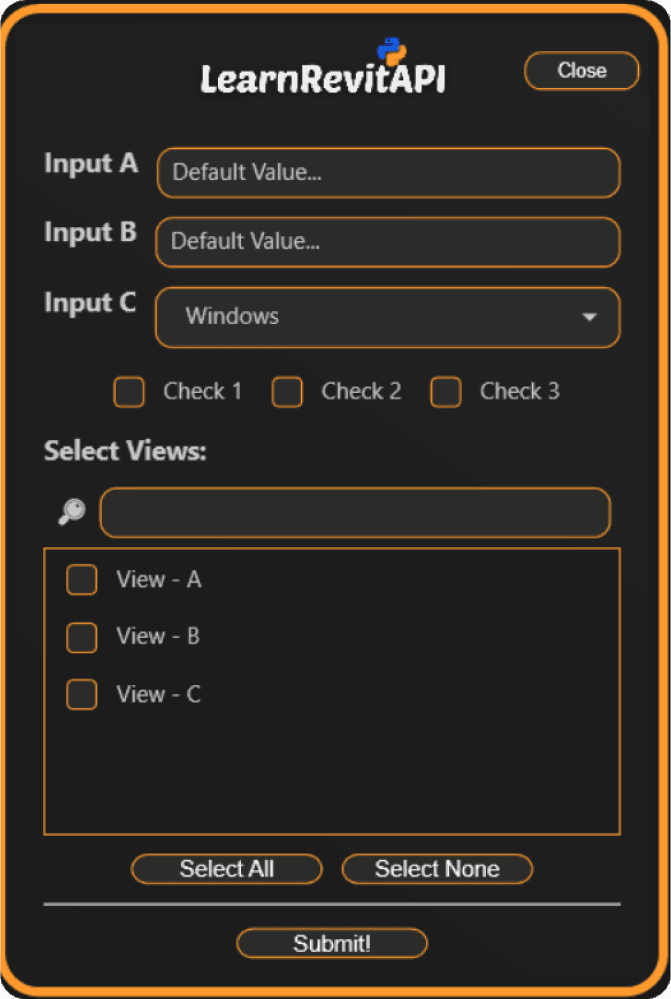
pyRevit Modern UI Forms with WPF (Bonus Course)

Course: Modern UI in pyRevit with WPF

Course: Modern UI in pyRevit with WPF

Create Good-Looking UI Forms for pyRevit

Once you get comfortable crating pyRevit tools - soon you'll want custom UI Forms for more control.

Therefore I'm providing a step by step Modern UI Course specifically for pyRevit.
You'll learn how to create any custom UI form for pyRevit to provide better user experience.

P.S. My students asked me for this training a lot… So I made a whole bonus course.

5 Course Modules

5 Course Modules

01
01
01
WPF Basics
for pyRevit
WPF Basics for pyRevit
WPF Basics
for pyRevit
02
02
02
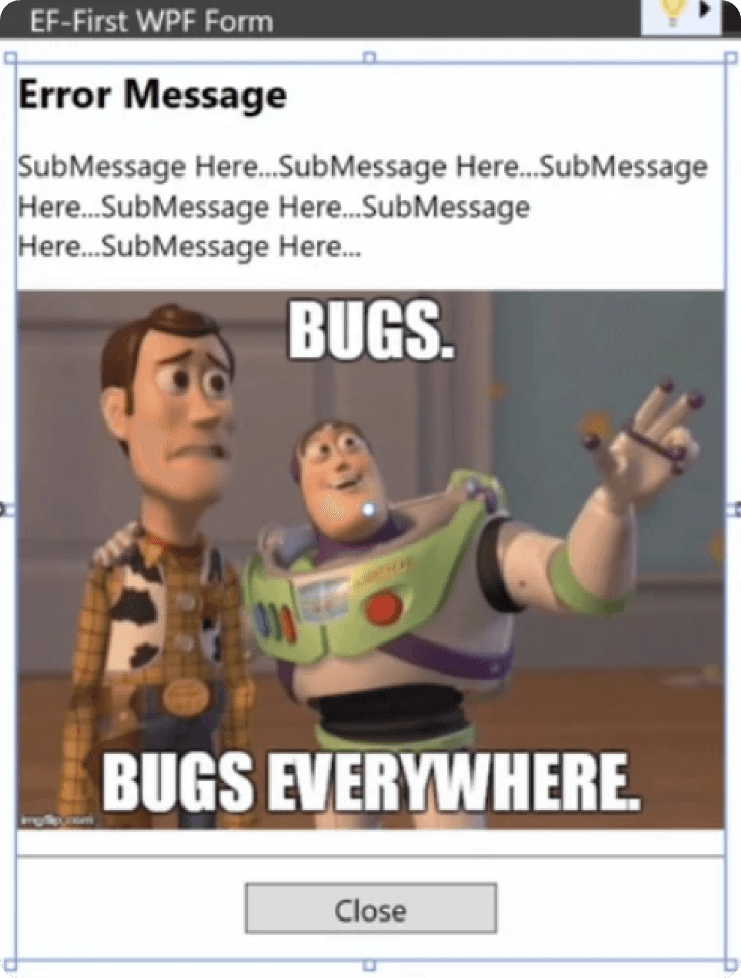
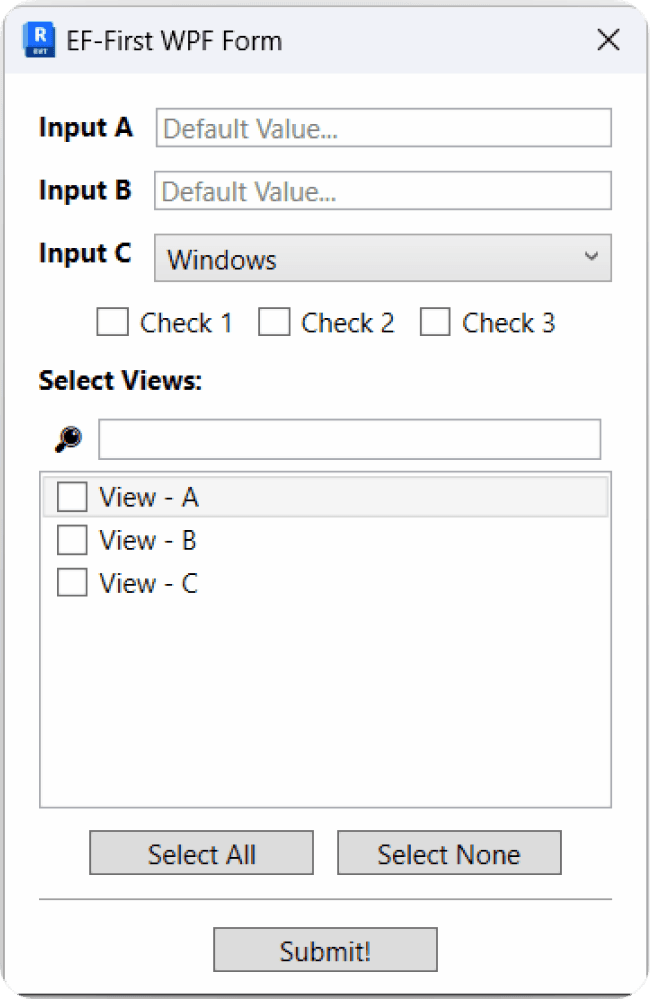
Create WPF Form for pyRevit from scratch.
Create WPF pyRevit Form
Create WPF Form for pyRevit from scratch.
03
03
03
Reuse WPF forms
across pyRevit
Reuse WPF forms across pyRevit
Reuse WPF forms
across pyRevit
04
04
04
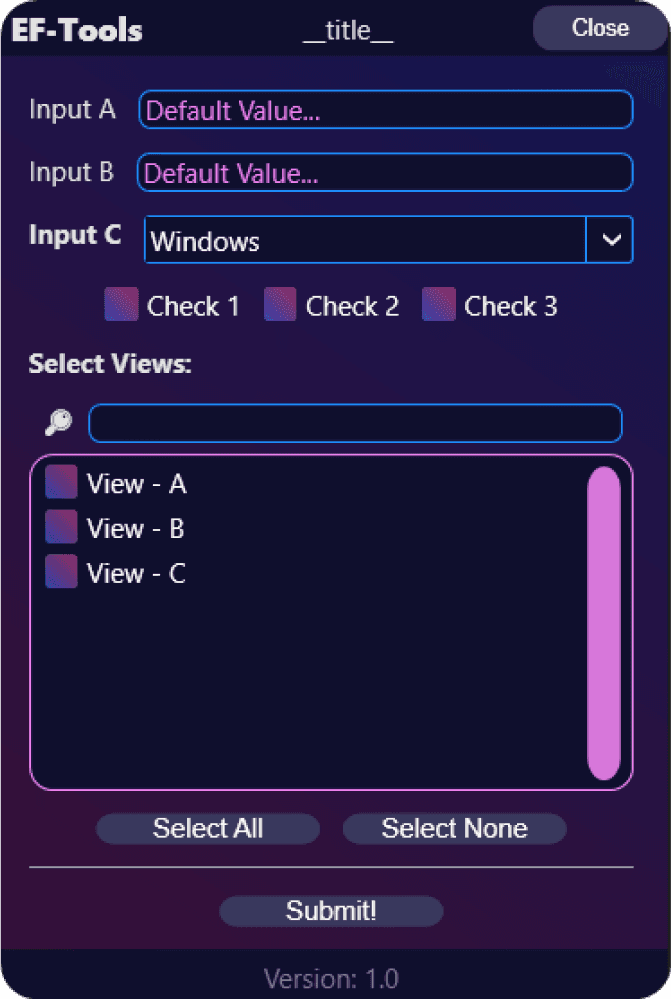
Create Awesome-Looking Styles
05
05
05
Leverage AI for
WPF Development
Leverage AI for WPF Development
Leverage AI for
WPF Development

FREE BONUS #2

Access to pyRevit Code Library

Access to pyRevit Code Library

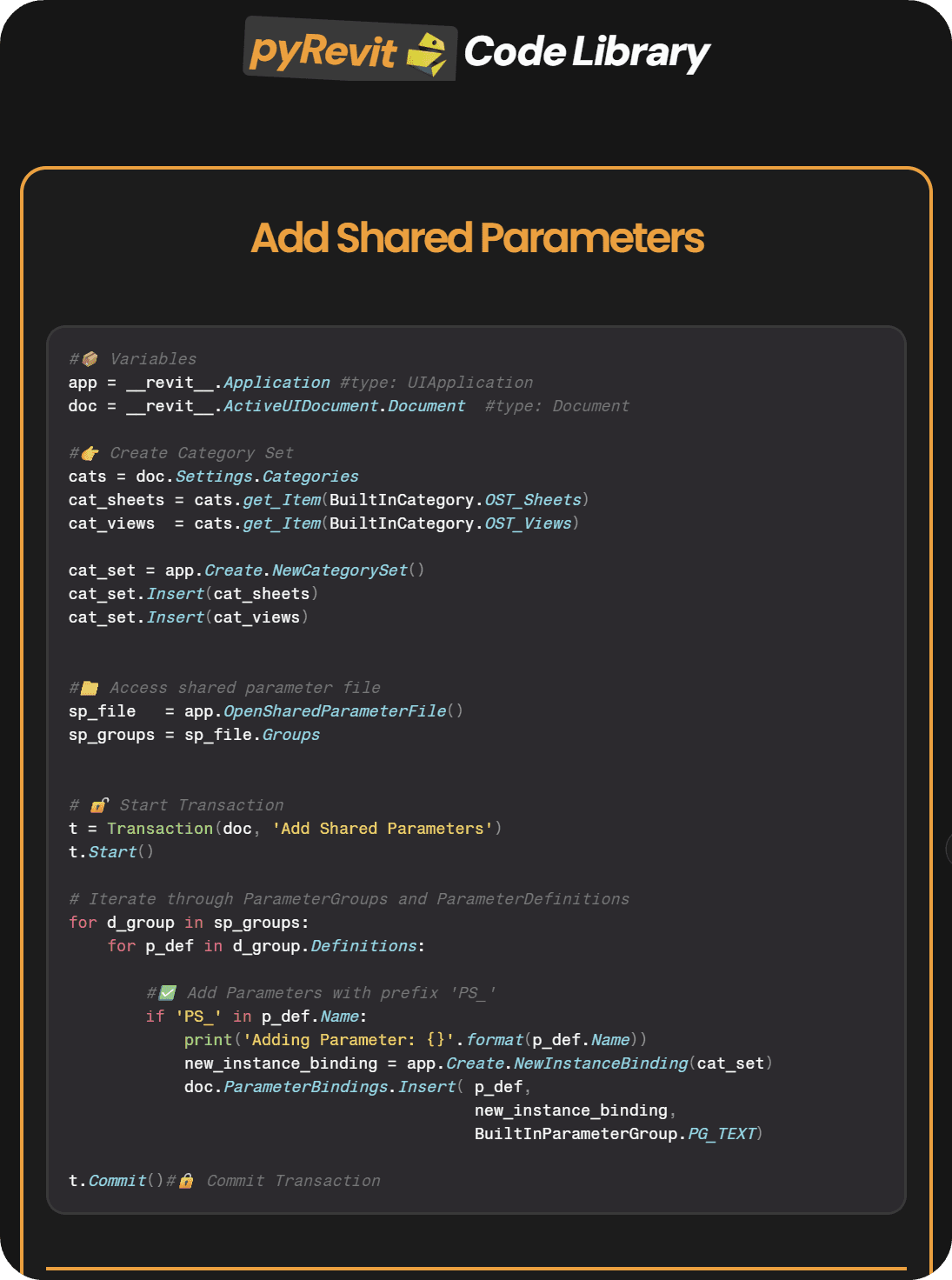
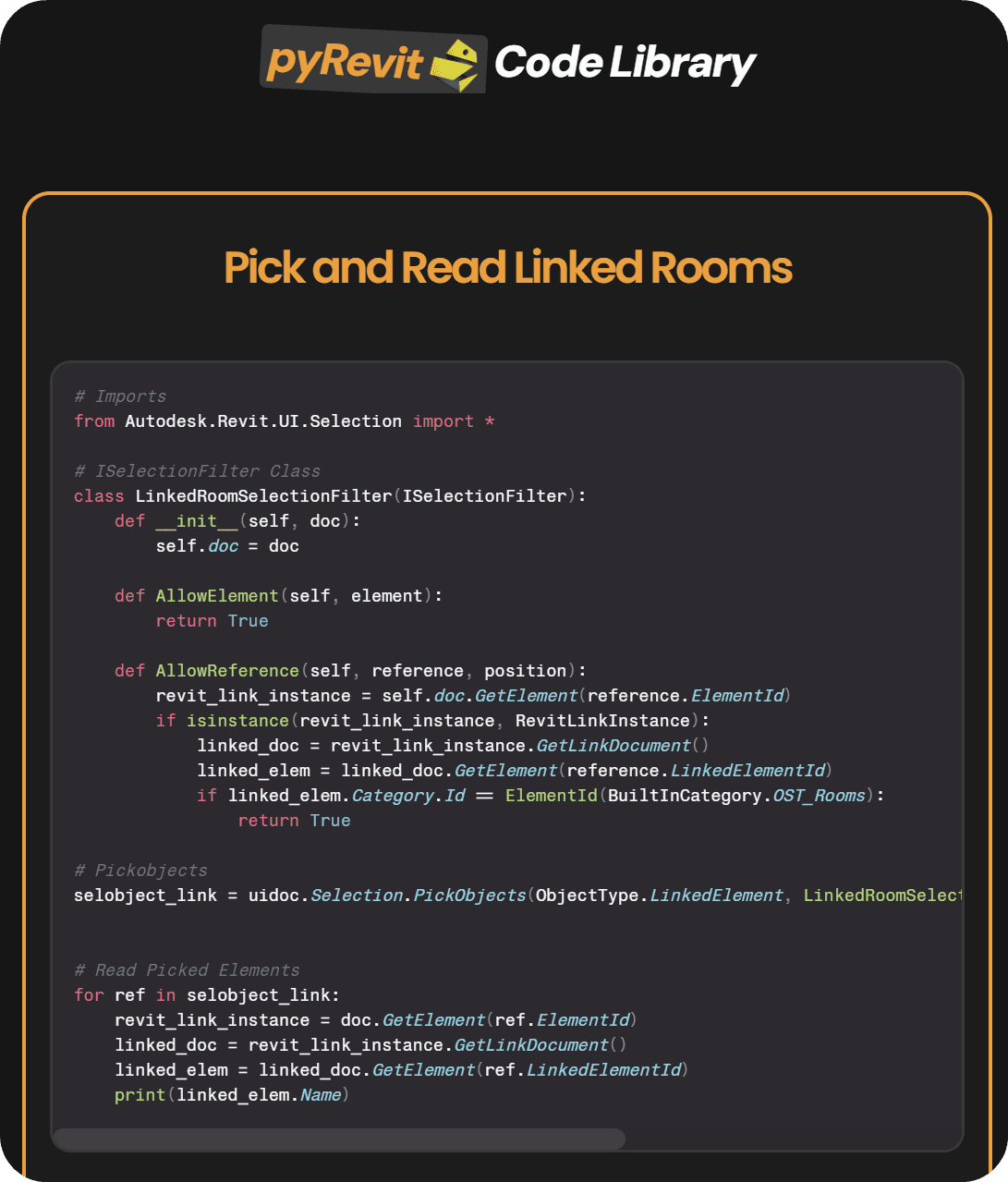
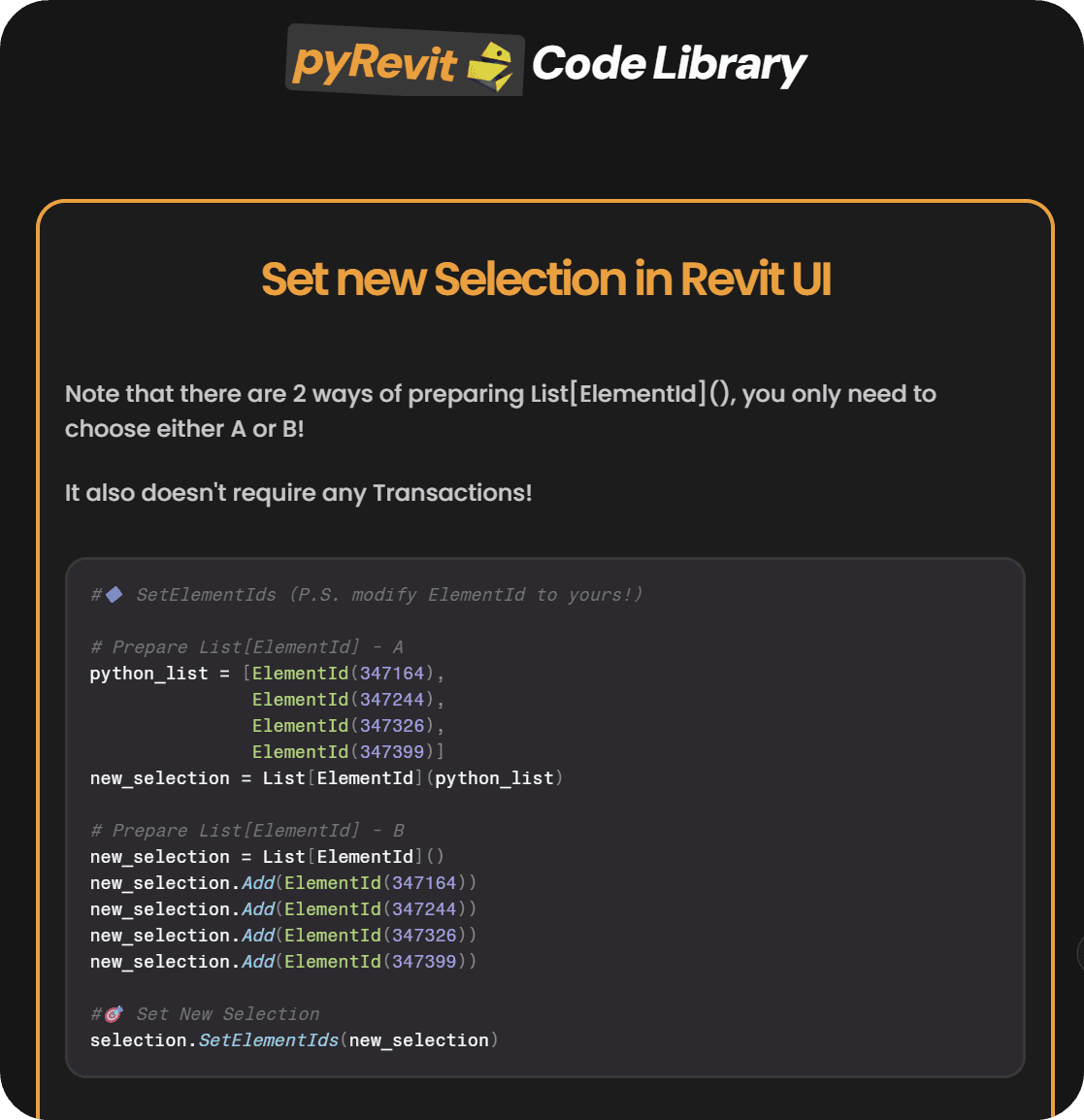
Use my library of code snippets from my tools, tutorials and courses.

Copy-Paste solutions to most common Revit API questions.

Use my library of code snippets from my tools, tutorials and courses.


Copy-Paste solutions to most common Revit API questions.

FREE BONUS #3

LearnRevitAPI Community

LearnRevitAPI Community

LearnRevitAPI Community

Join private community for pyRevit Developers.

Get direct access to me and hundreds of other experts.
Discuss programming in Revit and ask for help when you need it.

Get direct access to me and hundreds of other like-minded developers.

Direct Access To ME

Direct Access To ME

Direct Access To ME

Discuss Lessons

Discuss Lessons

Discuss Lessons

Ask for Feedback

Ask for Feedback

Ask for Feedback

Access to other Devs

Access to other Devs

Access to other Devs

Share Progress

Share Progress

Share Progress

Get Help when you need it the most

Get Help when you need it the most

Get Help when you need it the most

FREE BONUS #4

FREE BONUS #3

Get Future Updates (Revit 2027)

Get Future Updates (Revit 2027)

LearnRevitAPI Community

I'm planning on re-creating most of the training with Revit 2027.

I want to shar th elatest tips and tricks for pyRvit development and stay up to date with the newest API updates.
Plus, I have a few new cool bonuses in my mind th at will help you even more.

Quick Summary

0+

Practical Lessons

0

In-Depth Modules

Setup Your PC

Python Basics

Revit API Basics

Automation

Support

Documentation

Custom UI Forms

And More…

Exclusive Community

0+

Hours of Training

Course Certificates

0

On-Demand Courses

0+

Students

0+

Practical Lessons

0

In-Depth Modules

Setup Your PC

Python Basics

Revit API Basics

Automation

Support

Documentation

Custom UI Forms

And More…

Exclusive Community

0+

Hours of Training

Course Certificates

0

On-Demand Courses

0+

Students

0+

Practical Lessons

0

In-Depth Modules

Setup Your PC

Python Basics

Revit API Basics

Revit Automation

Support

Documentation

Custom UI Forms

And More…

Exclusive Community

0+

Hours of Training

Course Certificates

0

On-Demand Courses

0+

Students

Something on your mind?

Frequently Asked Questions

FAQ

Couldn't I just do this myself with all of the free content out there?

You already would have if you could. This platform is designed to provide you with a shortcut, allowing you to follow my step-by-step roadmap and learn everything you need with the support of the community.

Couldn't I just do this myself with all of the free content out there?

You already would have if you could. This platform is designed to provide you with a shortcut, allowing you to follow my step-by-step roadmap and learn everything you need with the support of the community.

Do I need to be python Expert?

Not at all. Many have joined the course without any programming knowledge and have learned everything they need to begin automating Revit.

Do I need to be python Expert?

Not at all. Many have joined the course without any programming knowledge and have learned everything they need to begin automating Revit.

Do you cover Revit API in Dynamo?

I use pyRevit during the course. However, the same code can be transferred to Dynamo with minor changes.

Do you cover Revit API in Dynamo?

I use pyRevit during the course. However, the same code can be transferred to Dynamo with minor changes.

Is the Course On-Demand?

Yes. All lessons are pre-recorded and include both video and written summaries.

Is the Course On-Demand?

Yes. All lessons are pre-recorded and include both video and written summaries.

Can I pay with PayPal?

Yes. Write to support@LearnRevitAPI.com, and I will send you instructions for paying with PayPal.

Can I pay with PayPal?

Yes. Write to support@LearnRevitAPI.com, and I will send you instructions for paying with PayPal.

Are there multiple Courses?

Yes. You get access to 3 courses: - LearnRevitAPI Basics - LearnRevitAPI Advanced - pyRevit Modern UI with WPF Each made to help you progress on your programming journey.

Are there multiple Courses?

Yes. You get access to 3 courses: - LearnRevitAPI Basics - LearnRevitAPI Advanced - pyRevit Modern UI with WPF Each made to help you progress on your programming journey.

What if I don't like the course?

I offer a 30-day money-back guarantee with no hidden rules. Let me know at support@LearnRevitAPI.com within 30 days, and you'll get 100% of your money back.

What if I don't like the course?

I offer a 30-day money-back guarantee with no hidden rules. Let me know at support@LearnRevitAPI.com within 30 days, and you'll get 100% of your money back.

What if I get stuck?

Ask for help in the community. It's a place to get: - Direct Access to Me - Chat with other developers - Share your code and progress - Ask for help when you need it the most.

What if I get stuck?

Ask for help in the community. It's a place to get: - Direct Access to Me - Chat with other developers - Share your code and progress - Ask for help when you need it the most.

Is there time-limit for the course?

No. You get Lifetime access to courses and community.

Is there time-limit for the course?

No. You get Lifetime access to courses and community.

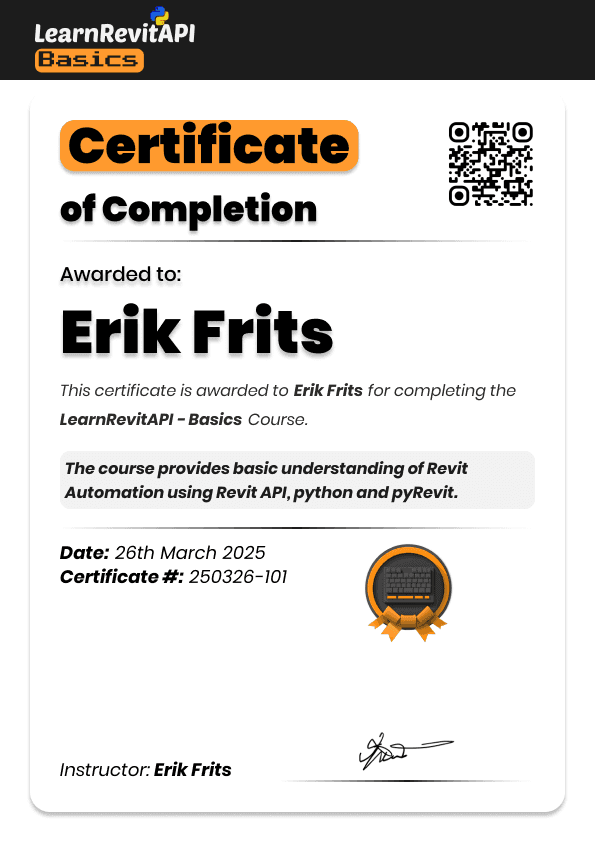
Is there Certificate upon completion?

Yes, you can get a certificate for each course. Reach out to support@LearnRevitAPI.com and I will provide you the instructions to get it.

Is there Certificate upon completion?

Yes, you can get a certificate for each course. Reach out to support@LearnRevitAPI.com and I will provide you the instructions to get it.

Can I pay with payment plan?

Yes. You can use one of payment plans when you click on Enroll.

Can I pay with payment plan?

Yes. You can use one of payment plans when you click on Enroll.

Okay, how do I join?

Now you talking. 1. Click on Enroll Now button 2. Fill out your details in the checkout page 3. Get instant access to the course platform. Happy Coding!

Okay, how do I join?

Now you talking. 1. Click on Enroll Now button 2. Fill out your details in the checkout page 3. Get instant access to the course platform. Happy Coding!

Something still on your mind?
Contact at support@LearnRevitAPI.com
(I will personally reply)

Begin Your pyRevit Journey...

Begin Your pyRevit Journey...

One-Time Fee of 997 EUR

(Or Spread The Cost Over 4 Months)

  • Miguel Pinheiro

    BIM Specialist

    "This course exceeded all my expectations, I can't imagine a better or faster way to learn pyRevit.

    It's very well organized, filled with real-use case examples, and the community was a brilliant idea. I highly recommend it!"

  • Bikbov Ilnur

    BIM Coordinator

    Exceeded my expectations. Most lessons are short and easy to follow (even with limited English).

    I used the course scripts right away, modified them, and they saved me time and even led to a pay raise. The most useful experience so far.

  • Pavel Formanek

    BIM Specialist

    This Course was a turning point in my professional journey as an BIM Specialist.

    pyRevit made everything easier. Thanks to this course I enhance my technical skills to new levels but moreover, increased my within my company by introducing new efficiencies.

  • Aydimir

    Civil Engineer

    Having direct access to some of the brightest minds in our industry, working on cutting-edge scripts, makes this course unmatched - there’s simply nothing else like it out there!

    And personally, I’ve already made 10X what I paid for this course, which just proves how valuable it is!

  • Mohamed Mostafa Bedair

    Architect

    I consider this course a big leap in my career like no other

    The content is great, organized, and informative. It helps you Learn Revit API in an easy way. And if you struggle with something, ask the community.

LIFETIME ACCESS

pyRevit Bootcamp

Follow the proven roadmap to learn pyRevit, Python and Revit API to start creating custom Revit tools from scratch.

Instant Access to:

LRA-Basics Course - Get started quick with absolute basics of pyRevit, Python and Revit API

LRA-Advanced Course - Dive deep into Revit API with 9 in-depth modules with hands-on approach.

Plus, FREE Bonuses:

BONUS #1: LRA-Modern UI Course - Learn WPF Framework for pyRevit to create custom forms for unique workflows and better user experience.

BONUS #2: pyRevit Code Vault - Get access to my library of code snippets to common code problems.

BONUS #3: Revit API Community - Get direct access to me and hundreds of other Revit API developers.

BONUS #4: Future Course Updates - I'm planning to update course materials for Revit 2027 to include latest tips and tricks for pyRevit devlopment.

Plus, EPIC 90-DAYS MONEY-BACK GUARANTEE!
One-Time Fee of 997 EUR

(Or Spread The Cost Over 4 Months)

So far, 600+ Students Loved This Training!

  • Miguel Pinheiro

    BIM Specialist

    "This course exceeded all my expectations, I can't imagine a better or faster way to learn pyRevit.

    It's very well organized, filled with real-use case examples, and the community was a brilliant idea. I highly recommend it!"

  • Bikbov Ilnur

    BIM Coordinator

    Exceeded my expectations. Most lessons are short and easy to follow (even with limited English).

    I used the course scripts right away, modified them, and they saved me time and even led to a pay raise. The most useful experience so far.

  • Pavel Formanek

    BIM Specialist

    This Course was a turning point in my professional journey as an BIM Specialist.

    pyRevit made everything easier. Thanks to this course I enhance my technical skills to new levels but moreover, increased my within my company by introducing new efficiencies.

  • Aydimir

    Civil Engineer

    Having direct access to some of the brightest minds in our industry, working on cutting-edge scripts, makes this course unmatched - there’s simply nothing else like it out there!

    And personally, I’ve already made 10X what I paid for this course, which just proves how valuable it is!

  • Mohamed Mostafa Bedair

    Architect

    I consider this course a big leap in my career like no other

    The content is great, organized, and informative. It helps you Learn Revit API in an easy way. And if you struggle with something, ask the community.

  • Harley Trappitt

    BIM Coordinator

    Erik is constantly adding new content to go deeper into everything to know about pyRevit and Revit API.

    If you find yourself lost, jump into community to discuss and work through most issues or questions. Plus all the resources you could want, oh my!

  • Thomas Vogt

    VDC Manager

    The course is exceptional. Clear explanations and manageable modules built upon each other.

    Lessons include video tutorials and code samples. Also the Community was invaluable. It exceeded my expectations. I highly recommend it.

  • Maria Florencia Retamal Borgogno

    BIM Coordinator / Architect

    This course opens so many options for Revit users.
    After completing, I started developing basic tools for my company. I'm feeling I'm just scratching the surface.

    Good thing: this course not only provides a quick start and guidance but also equips you with the necessary tools to continue researching and learning.

  • Mateusz

    BIM Specialist

    The combination of video, summaries, and code - provided a comprehensive learning experience.

    Since completing the course, I've been able to automate several tedious tasks in my Revit workflow, significantly improving my productivity.