

As you know, we can't make a simple sum of all apartment rooms. Instead, we have to follow specific rules and guidelines for correct results...
Plus, I'm ready to bet that every office has their own specific workflow in Revit on how to do that...
So, let's create a custom Flat Summarizer.
Today We're Practicing:
>>>
Getting Elements with Collector
>>>
Read/Write Parameters
>>>
Read Properties
>>>
Transactions
>>>
Convert Revit API Units✨

Let's Create
"Flat Summarizer"
Using 7-Step PROCESS
PLAN
Ready To Sum It Up?
If you tried to summarize rooms in Revit then you know the struggle…
Revit calculates room sums wrong
You can't tag correct sums without workarounds
You often need to sort with multiple criteria (Building, Apartment #, Usage Type…)
So, The Goal for Today's Tool:
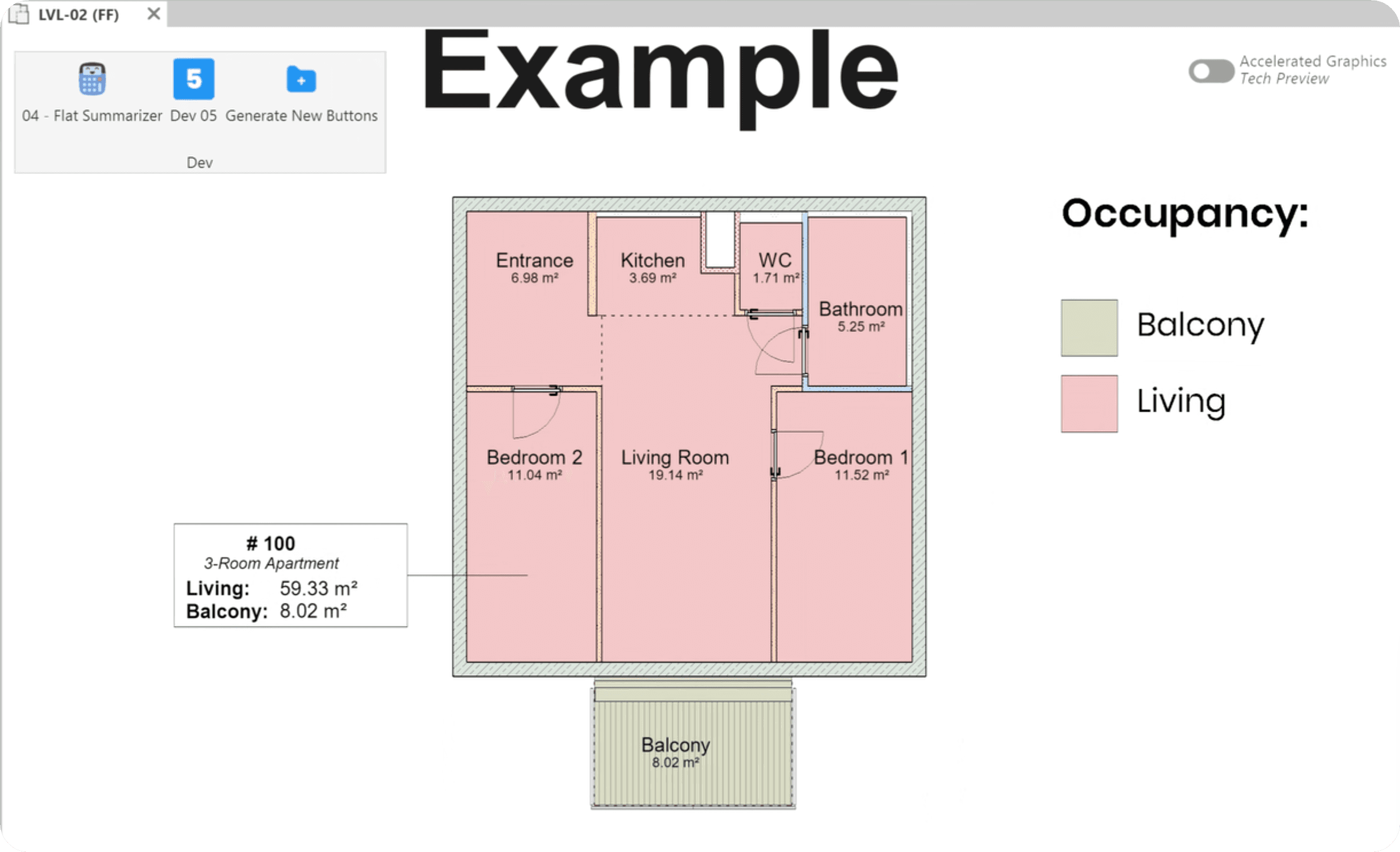
Create apartment summarizer. It should sort all rooms in the project by building and apartments and then calculate correct sums that can be displayed with a tag.
As you know we can have Living spaces, Balcony/Terrace, Loggias, Basement storage… And all of them are treated differently based on your local regulations… And as a cherry on the top, we'll also calculate without any rounding errors like Revit does it...
Today's Tool Demo:
…
This takes less than 50 lines of code!







Ensure Room Parameters
Whenever you try to get Project/Shared parameter it's worth checking if you managed to get them. Becaus it's very likely that not all project will have them…
Be careful trying to read/write values to shared parameters without checking.
Caption
Solution:
Ensure Flat Rooms
Whenever you try to get anything - you have to double check if you got it. Because often times - there's no point execution the rest of the code…
So let's verify if we have flat rooms in our project.
And keep in mind that we can have room in the project, but none of them would have flat parameters… So make sure you check dict_flats and not all_rooms.
Caption
Solution:
Ensure Occupancy value
ChatGPT gave a good hint that we shouldn't try to apply .lower() after reading a built-in parameter.
Yes - it will always be in all projects.
But - It can be None.
Because by default parameters have special None state. It doesn't have any value, but it's also not empty… It just doesn't exist (None).
And this can be problematic when we expect to get a string…
So let's rewrite this section and skip apartment rooms if they don't have an occupancy.
Caption
Solution:
Ensure Output Parameters Exist
Whenever you try to get Project/Shared parameter it's worth checking if you managed to get them. Becaus it's very likely that not all project will have them…
Be careful trying to read/write values to shared parameters without checking.
Caption
Solution:
Time To Celebrate
Share Your Win On LinkedIn
With #pyRevitChallenge
I'll Embed You Here!